Evaluate client coaching workflows before choosing a workspace
Bring the planning, delivery, review and communication parts of client coaching into one connected operating system. Start with the review decision, map the training, nutrition, check-in, and communication inputs it needs, and compare the current workflow before moving clients.
Diagnose the workflow before choosing software
The operational problem
Client context becomes difficult to review when planning, delivery, and follow-up use disconnected records.
What causes it
The operating workflow is split by tool rather than organised around the next coaching decision.
Who owns the next action
The coach owns the decision; organisations should define access and follow-up ownership by role.
How to decide
Map one full review loop and compare how each current product handles its inputs and hand-offs.
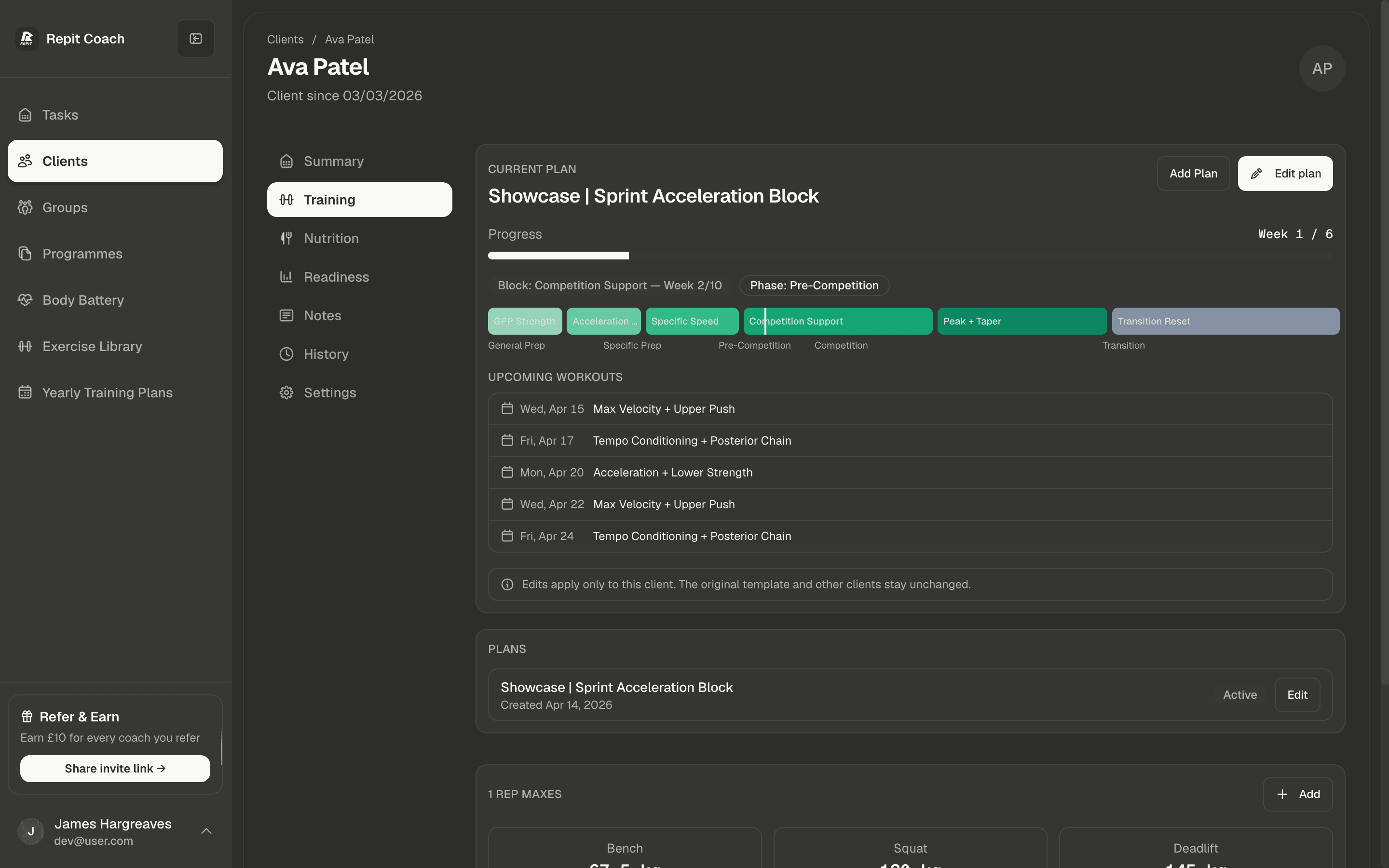
Training: what was prescribed vs what got done.
A coach decision starts with the gap between the plan and reality. Review the prescribed session, logged work, missed days, and adjusted week together.
- Plan vs actual, side by side, no app switching
- Review missed sessions against the remaining week
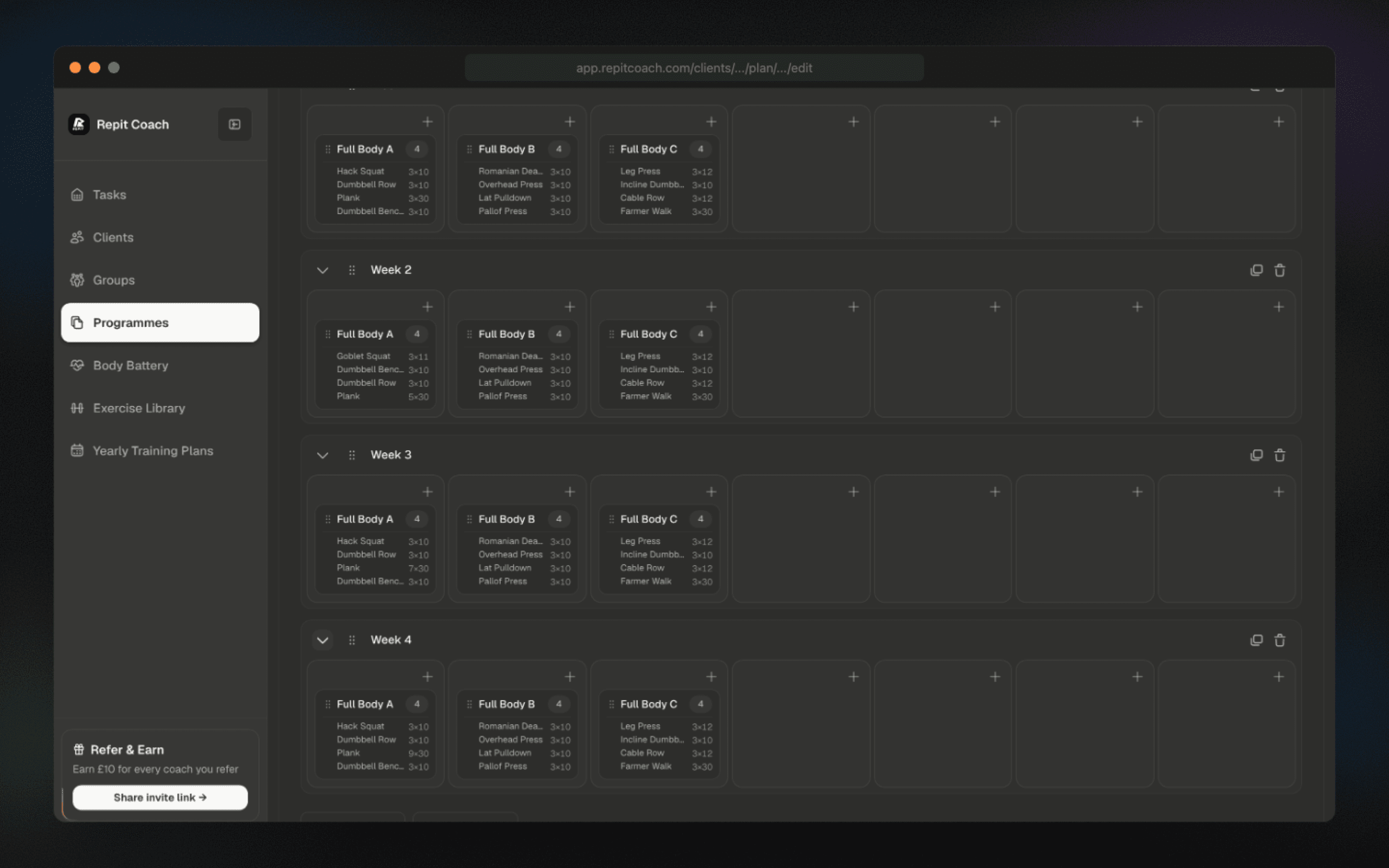
- Exercise library with reusable progression blocks
Nutrition: context, not screenshots.
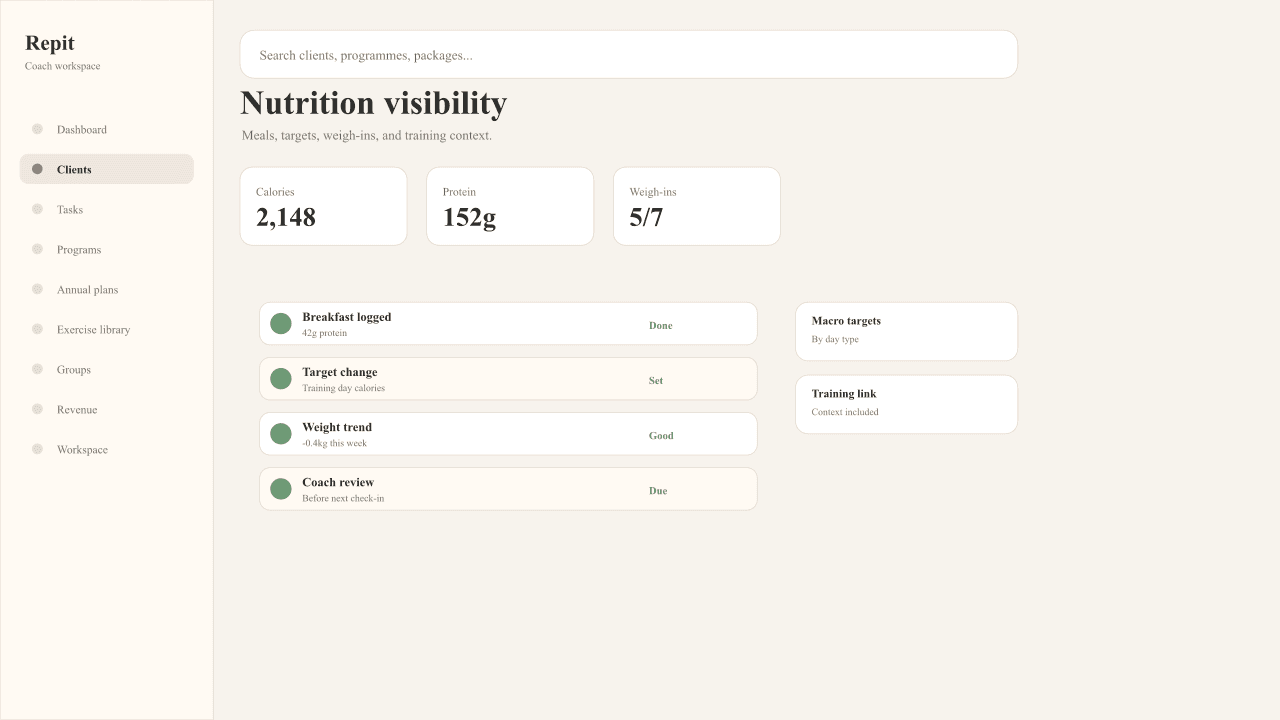
Repit brings nutrition entries, targets, weigh-ins, and training context into the same workspace as the plan. The review starts with the pattern, not with screenshots.
- Calories and protein compared with the client’s targets
- Weekly pattern, not just yesterday’s calories
- Missed weigh-ins flagged as coach tasks
Readiness: the stall before the message.
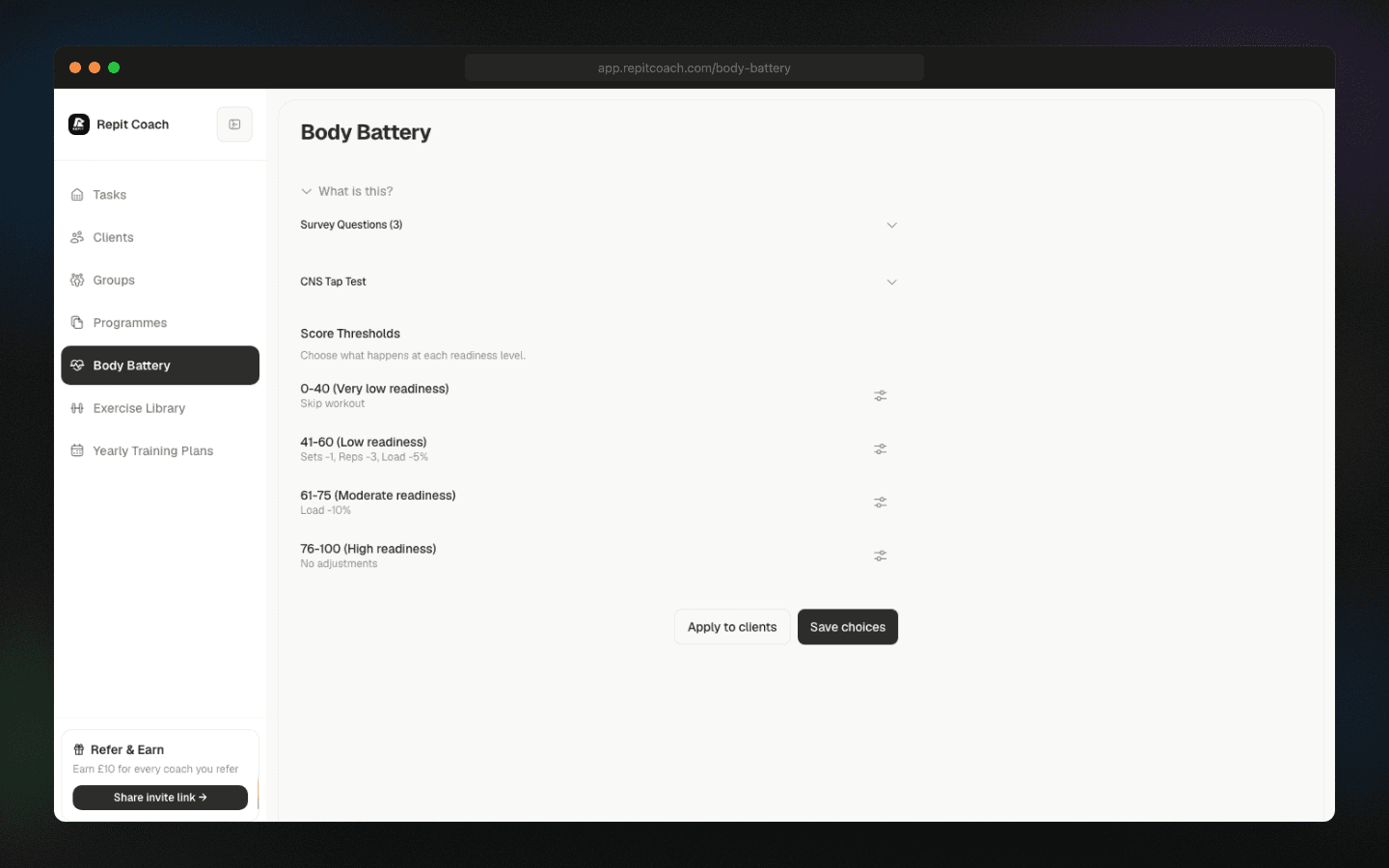
Review client check-in, recovery, and readiness context before the next check-in.
- Review readiness context in the current task view
- Review clients who may need attention
- Coach review before low readiness becomes a missed week
Check-ins: structured input, not free-text scrolls.
A check-in is only useful if it answers questions you can act on. Repit turns weekly inputs into structured signals tied to the client view, so reviewing them is a scan, not a read.
- Structured questions, comparable week to week
- Tied to the same client view as training and nutrition
- Review context in one place before the call starts
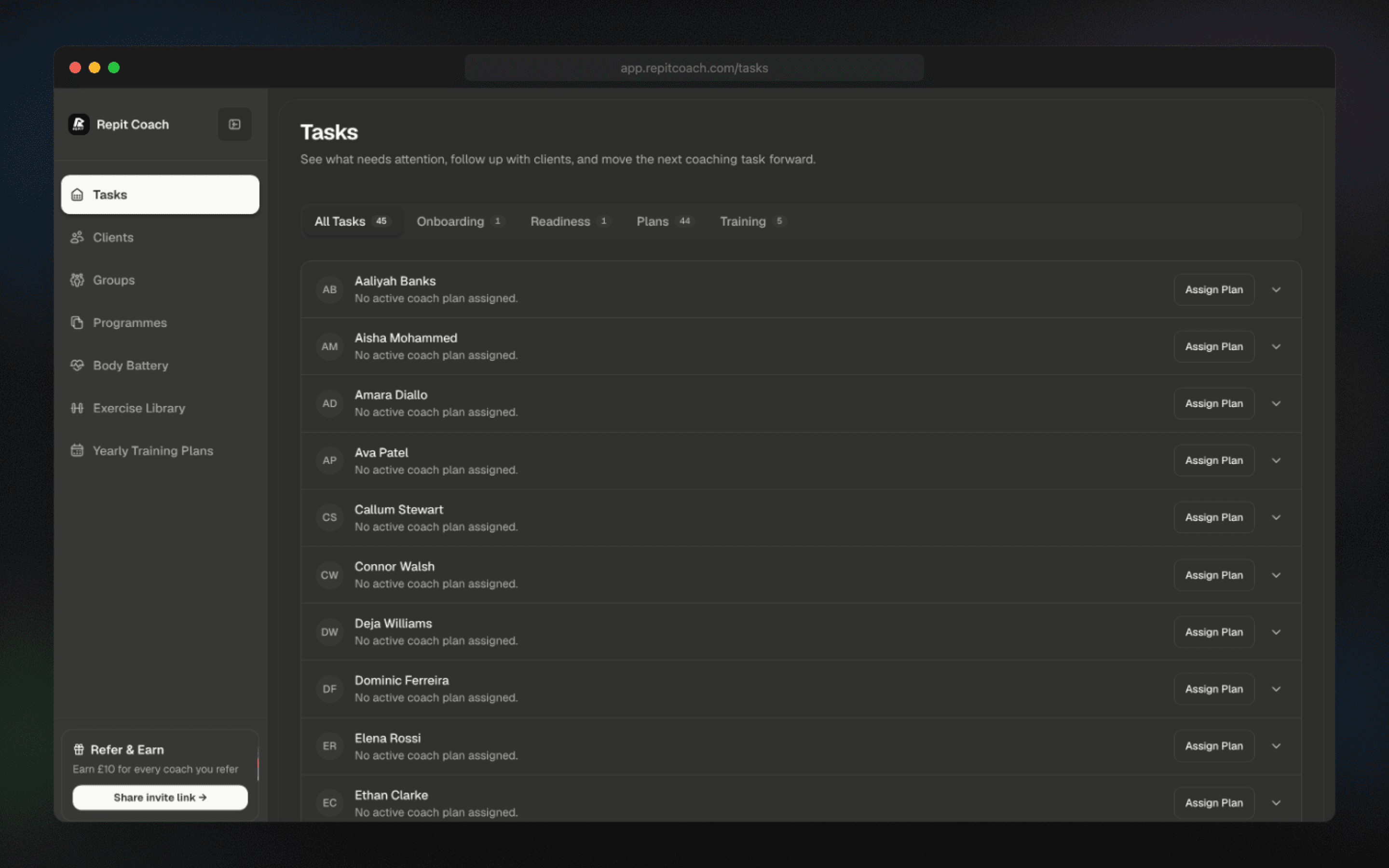
Coach actions: every decision logged with the client.
Review target, deload, and weigh-in decisions with the client record before the next check-in.
- Coach actions kept with the client context
- Follow-up tied to the reason you acted
- A faster look back before the next review
FAQ
Client operating system questions.
What makes Repit a “client OS” and not just another dashboard?
Compare the training, nutrition, weight, readiness, check-in, and coach-action context available in the current client view.
How is this different from Trainerize / TrueCoach / My PT Hub?
Start with the client-review workflow you need, then use each vendor’s current official product and pricing pages to verify fit. Repit’s comparison pages link those sources directly.
Where does all this signal actually come from?
Your clients use the Repit mobile app for sessions, readiness check-ins, meals, and weigh-ins. Check the current pricing page for client-app availability by plan.
Can I migrate without breaking my current clients?
You can import clients by CSV and run Repit in parallel with your existing platform while you verify the workflow before a wider cutover.
Run one full review loop in Repit.
Set a single client up with training, nutrition, check-ins and follow-up, then compare that loop with the workflow you run today. Plan terms and client limits are listed in full on the pricing page.