Skip to content

AUTO-ADJUST

Stop losing margin to missed sessions.

Life gets in the way of training, but it should not derail your programming or cost you hours of unpaid admin. Auto-Adjust keeps clients progressing at the pace you intended, even when life happens.

Plays nicely with

Apple HealthGoogle CalendarWhatsApp+ your CSV
Dynamic Rescheduling

Missed session? The plan just keeps moving.

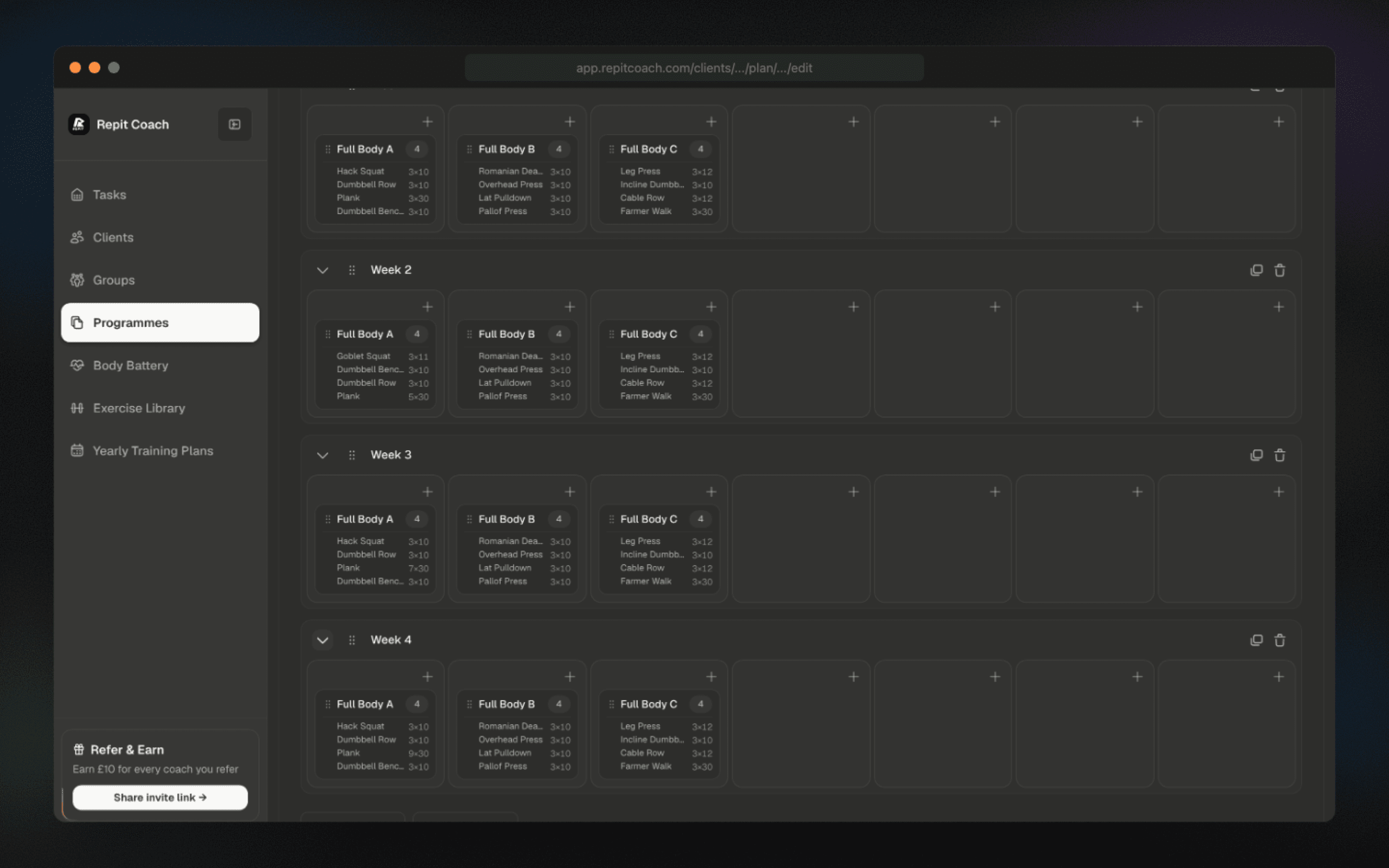
You design the programme; Auto-Adjust preserves it. When a client misses a session, the system detects the gap and pushes the remaining block forward to the next available slot. No steps skipped, no late-night calendar rebuild.

  • Missed sessions auto-shift to the next available slot
  • The full block stays intact, so clients resume exactly where they left off
  • Zero manual calendar maintenance required
Training calendar auto-shifting a missed session forward
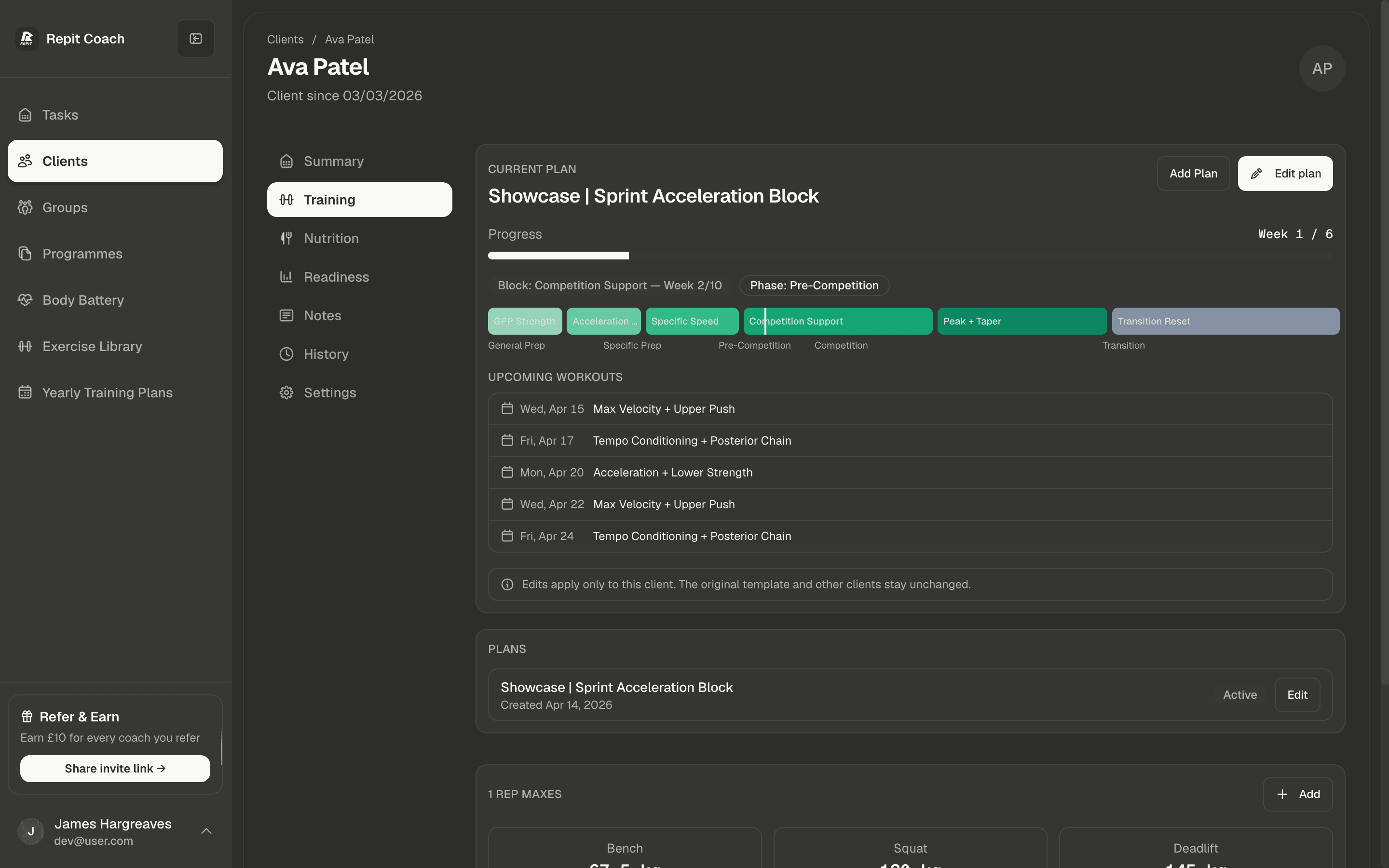
Client settings showing Auto-Adjust toggle and pause controls
Your Controls

Automated, but still coach-controlled.

Auto-Adjust is automated but never restrictive. Toggle the behaviour on or off per client, pause any plan when life needs a break, and restart it with a single click. You keep the judgement; Repit handles the repetitive calendar work.

  • Enable or disable per client based on their needs
  • Pause and restart any plan with one click
  • The system resumes at the exact point you paused

Demo video

See the coaching loop in motion.

A short walkthrough of the calendar-first workflow: build the week, catch changes, and keep the client plan moving without manual admin.

FAQ

Auto-Adjust questions.

What does Auto-Adjust do?
When a client misses a scheduled session, Auto-Adjust automatically pushes the remaining block forward to the next available training day. Nothing is skipped, the session ordering is preserved, and you don’t have to open the calendar to rebuild the week. If a client misses several days in a row, the whole block shifts as one cohesive unit so programming structure stays intact.
Can I control which clients use Auto-Adjust?
Yes. Auto-Adjust is a per-client toggle. Turn it on for clients whose schedules are unpredictable, off for clients who need rigid date-anchored programming, and anywhere in between. You can also set whether a missed session triggers an immediate shift, waits a grace period, or just surfaces an alert in your task feed for you to resolve manually.
What happens if a client is away for a week?
Pause the plan with one click. Auto-Adjust remembers exactly where you paused and holds the remaining block. When you unpause, the plan resumes from that exact session at the next training day. No dates to recalculate, no programme to rebuild. If the client wants to extend the pause or shorten the block, both are one-click actions.
Will Auto-Adjust overlap sessions or double-book?
No. The engine checks for existing sessions on every date it considers and only places a shifted session in an available slot. If the client’s calendar is fully booked, the remaining sessions compress rather than overlap, and you get an alert in your task feed so you can decide whether to extend the block or trim content.
How is Auto-Adjust different from Body Battery?
Auto-Adjust handles calendar logistics — missed sessions, pauses, restarts. Body Battery handles intensity adaptation — the same session still runs, but the prescribed load adjusts to the client’s readiness that day. Most coaches run both: Body Battery tunes today’s intensity, Auto-Adjust reflows the rest of the week when life gets in the way.
Does the client see what changed?
Yes. The client sees their updated calendar in the mobile app, and missed sessions that got rescheduled show as “moved to [new date]”. They always know where they are in the block and what’s next. You can also add a coach note to any rescheduled session if you want to explain the shift.

READY TO GROW?

Grow the roster without growing the admin.

Start with your first 4 active clients free, then scale into the systems that help you earn more from the same working week.

Free for 4 active clients · Cancel anytime