GYM MODE · Feature deep dive · 3 min read
A practical feature review
Who it helps
Coaches running group sessions, small-group PT or team lifts, where phones stay in the bag.
How to evaluate it
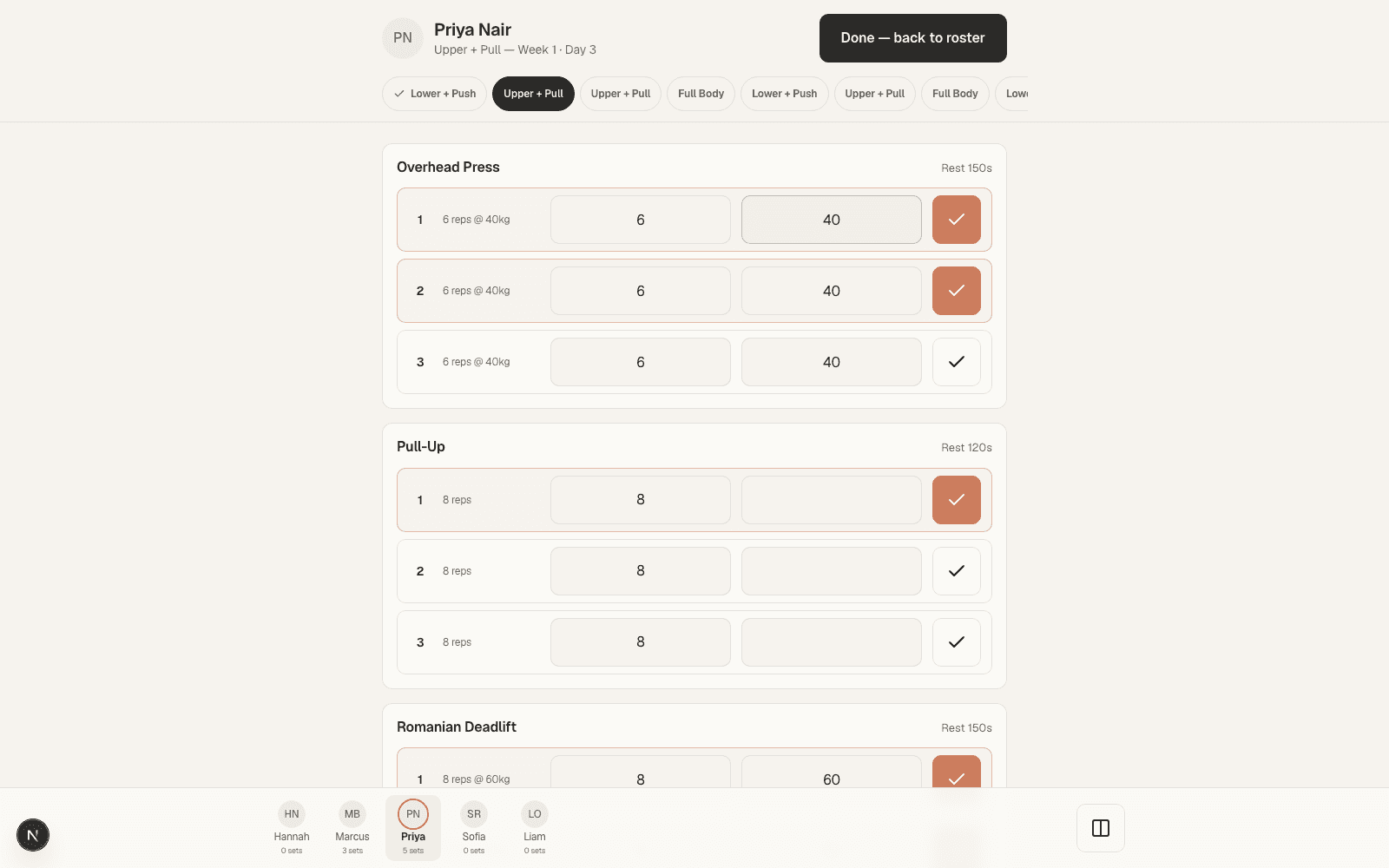
Open gym mode on a tablet, pull up a full roster and log a few sets as if the group were training.
What the coach sees
One screen shows the roster; you tap in loads and reps for whoever is in front of you.
What the client sees
The athlete trains without their phone, and the session still shows up in their own history.
Before you use it
Bring a tablet or laptop to the floor and set the roster for the session before the group arrives.
01 · Why we built it
Group training deserved better than a clipboard.
Coaching one athlete through an app is easy. Coaching fifteen at 6am is not. Phones stay in bags and the paper going missing is a matter of time.
Gym mode is the shared-device answer: one screen for the session, every set still credited to the right athlete.
03 · The whole roster
The whole group, not just one athlete.
Page through your roster on one screen, or split the view to log a pair of athletes side by side.
Each set saves once, against the athlete of the pane you entered it in.
04 · The record
The session doesn't vanish at 7am.
Everything logged in gym mode reads exactly like a session the athlete logged themselves: history, progression, and readiness stay in one place per athlete.