THE CLIENT APP · Feature deep dive · 3 min read
A practical feature review
Who it helps
Personal trainers and coaching teams comparing the client side of programme delivery.
How to evaluate it
Assign a sample workout and inspect the current client journey through completion.
What the coach sees
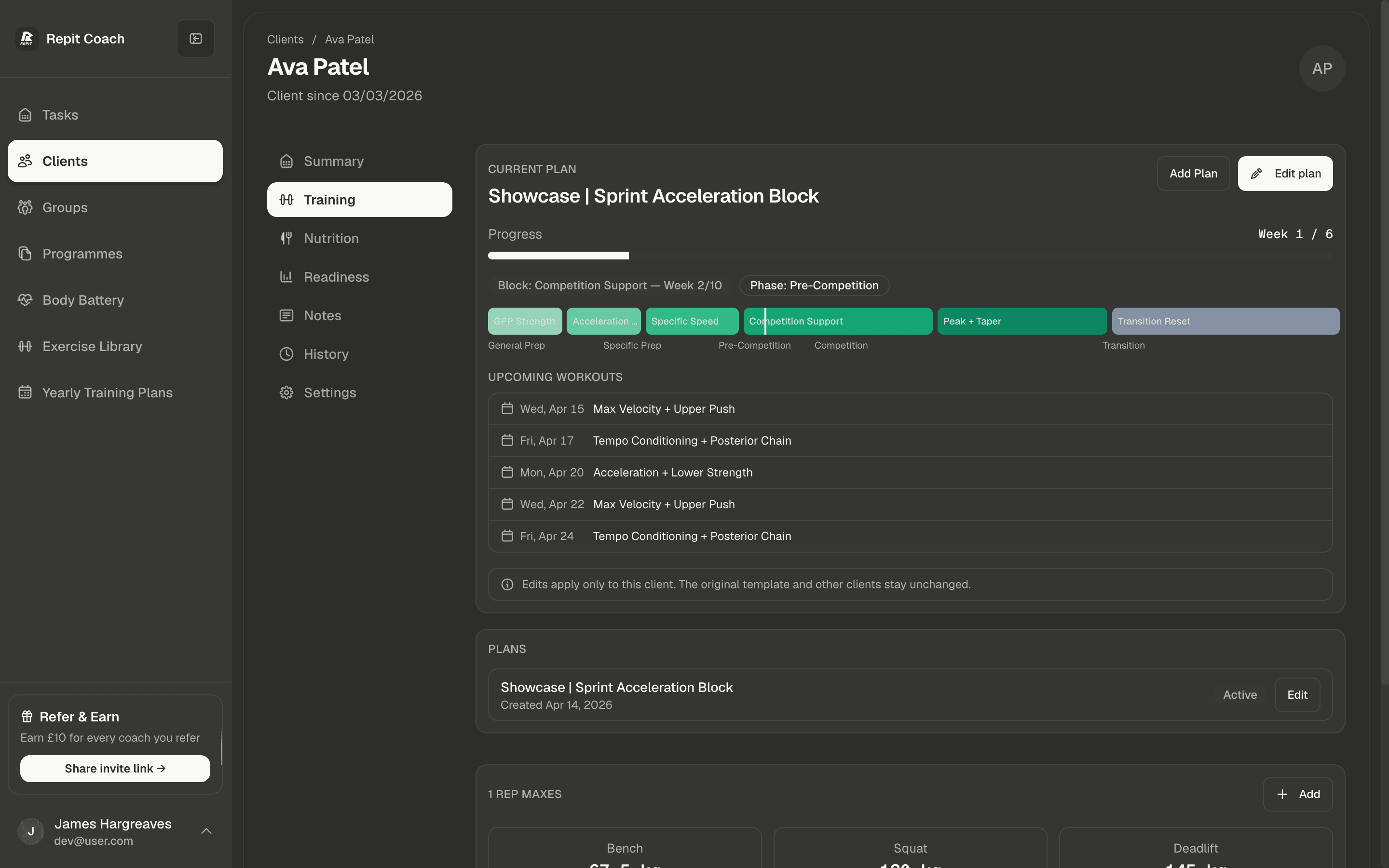
You see what you assigned and what came back from it: completed sessions and the sets logged in them.
What the client sees
The Repit client app shows assigned workouts and lets clients mark a workout complete.
Before you use it
Check current app availability, onboarding, device, and plan requirements before migration.
01 · Why we built it
Your coaching is only as good as the app it arrives in.
You can write the best block of your career, but if it lands as a PDF the client pinch-zooms between sets, that is the experience they are buying. Half of your product is software you did not build: the half your clients hold.
So we built that half properly: a clean, fast app clients enjoy opening, where the session arrives the way you intended it to be followed, and everything they do flows straight back to you.
02 · Live sync
They log a set. You see it.
Sessions arrive exactly as you wrote them: sets, reps, progressions, your cues, your videos, rest timers. Not a PDF to squint at: a guided session that walks the client through the work the way you intended it to be followed.
The Repit client app shows assigned workouts and lets clients mark a workout complete.
03 · Nutrition
Training and nutrition, finally in the same place.
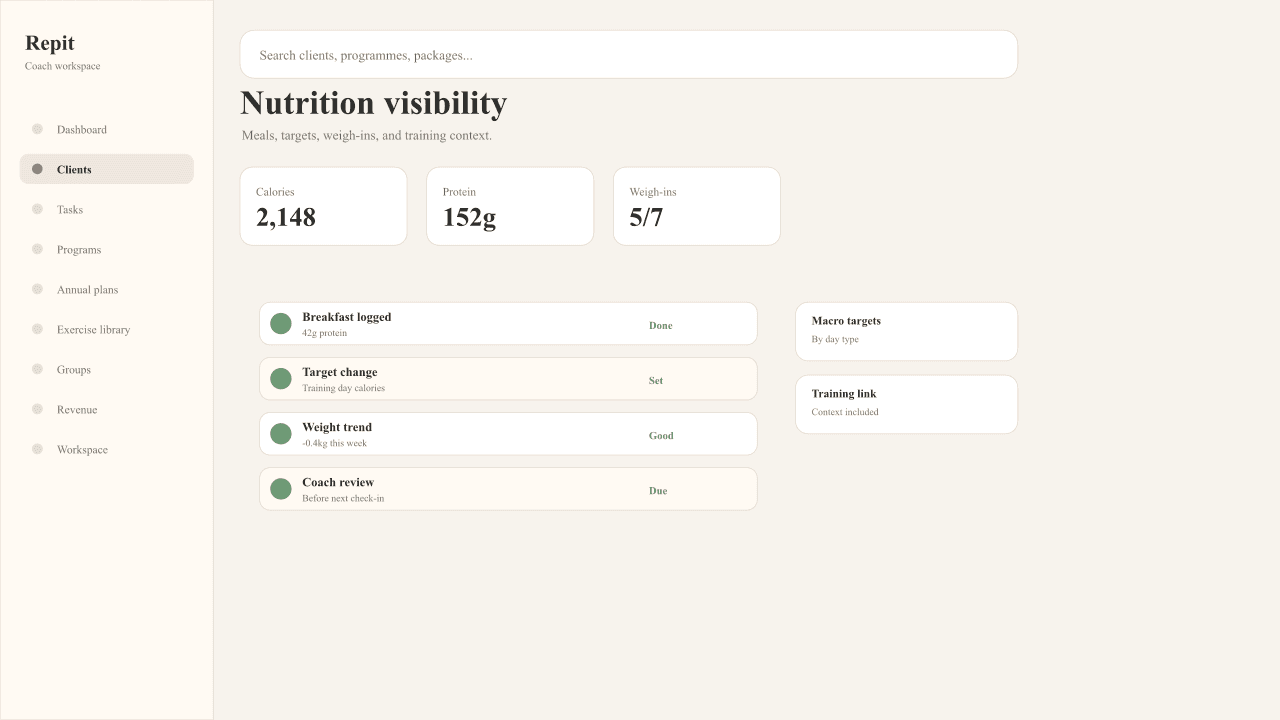
The app includes a full nutrition tracker: barcode scanning, a food database, and macro tracking against targets you set. No third-party app, no MyFitnessPal screenshots arriving in your DMs.
Clients scan a barcode or search the food database; meals and weigh-ins land on the client record next to their training. You set the calorie and macro targets (there is a built-in TDEE calculator for getting them right), and the whole picture lives where you already work.
04 · Check-ins
The check-in that changes the session.
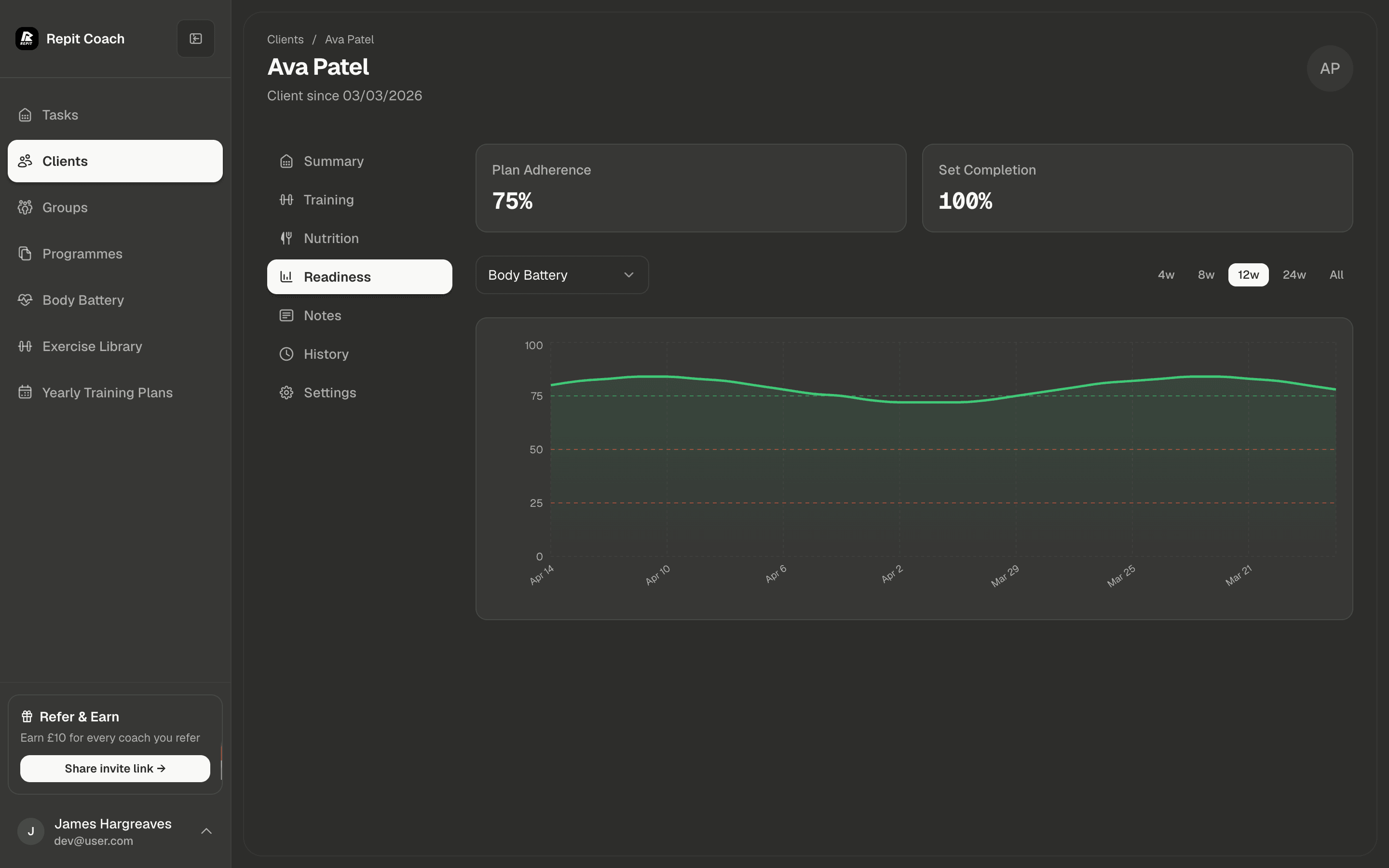
With Body Battery enabled, clients complete a short check-in before training, and the coach can configure how readiness affects the session.
Streaks, consistency heatmaps, and performance trends live in the app too. People stick with what they can see working, and clients who can see it working stay.