Skip to content

COACH DASHBOARD

Know who protects revenue today.

Stop hunting through messages and spreadsheets to find out who needs attention. The Coach Dashboard shows the actions that protect results, retention, and delivery quality across your roster.

Plays nicely with

Apple HealthGoogle CalendarWhatsApp+ your CSV
Task Feed

Exactly what needs you, today.

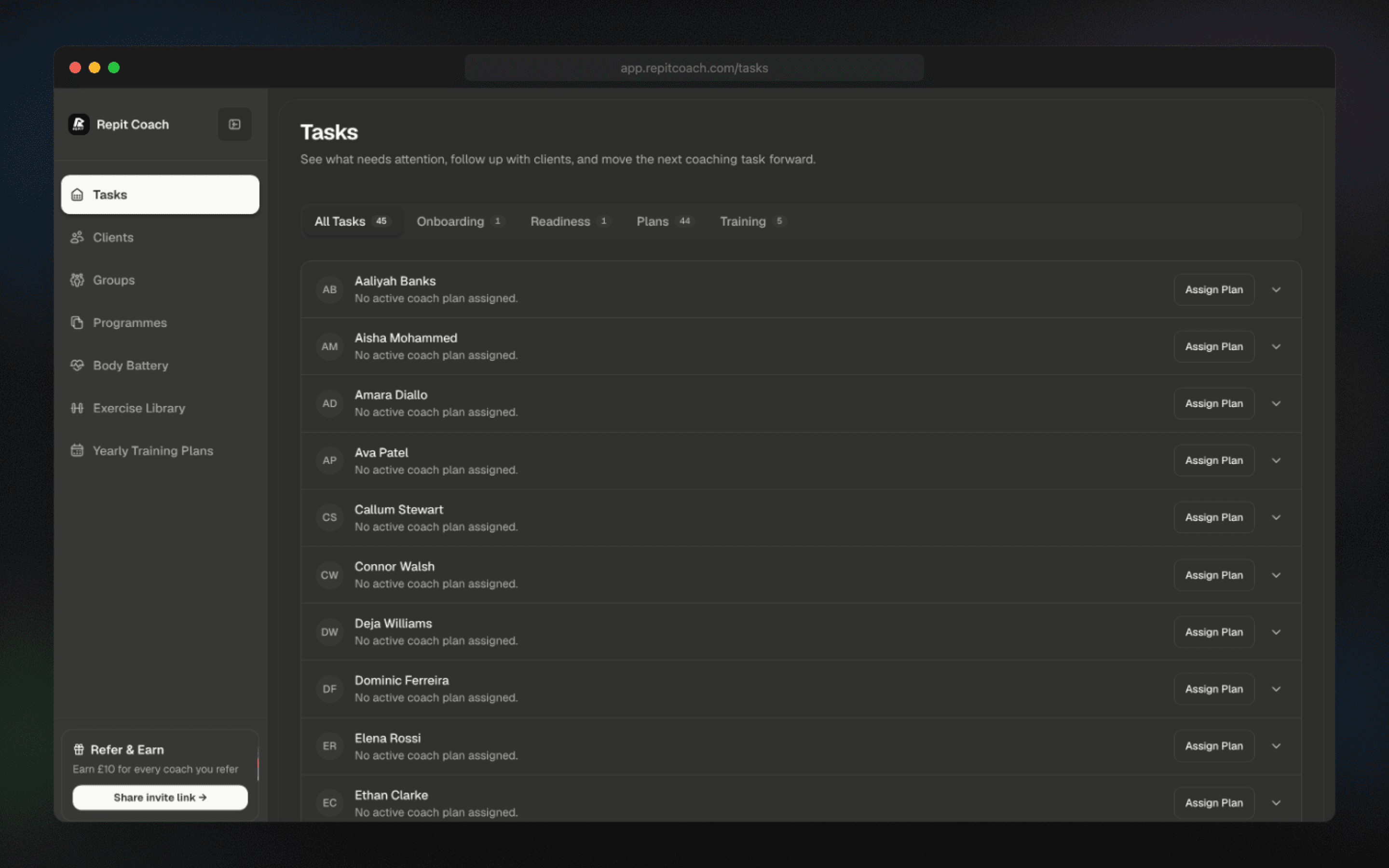
The dashboard surfaces real decisions, not notifications, so you always know who to act on next. One pane, no tab-switching.

  • Onboarding and plan status per client, always up to date
  • Plan gaps and missed sessions flagged the moment they happen
  • Low-readiness clients and today’s trainees surfaced automatically
Coach dashboard task feed with onboarding, missed workouts, and readiness alerts
Coach dashboard with tasks resolving and disappearing in real time
Zero-Inbox

Built for coaches with bigger rosters.

Every task is clickable. Jump straight to the session, setting, or profile that needs you. As you resolve, the feed clears in real time. Or let automation handle the obvious cases.

  • Every task is a direct action, one click into the right context
  • Automate responses to common issues if you prefer hands-off
  • The feed clears in real time, giving you back hours every week

Demo video

See the coaching loop in motion.

A short walkthrough of the calendar-first workflow: build the week, catch changes, and keep the client plan moving without manual admin.

FAQ

Coach Dashboard questions.

What is the Coach Dashboard?
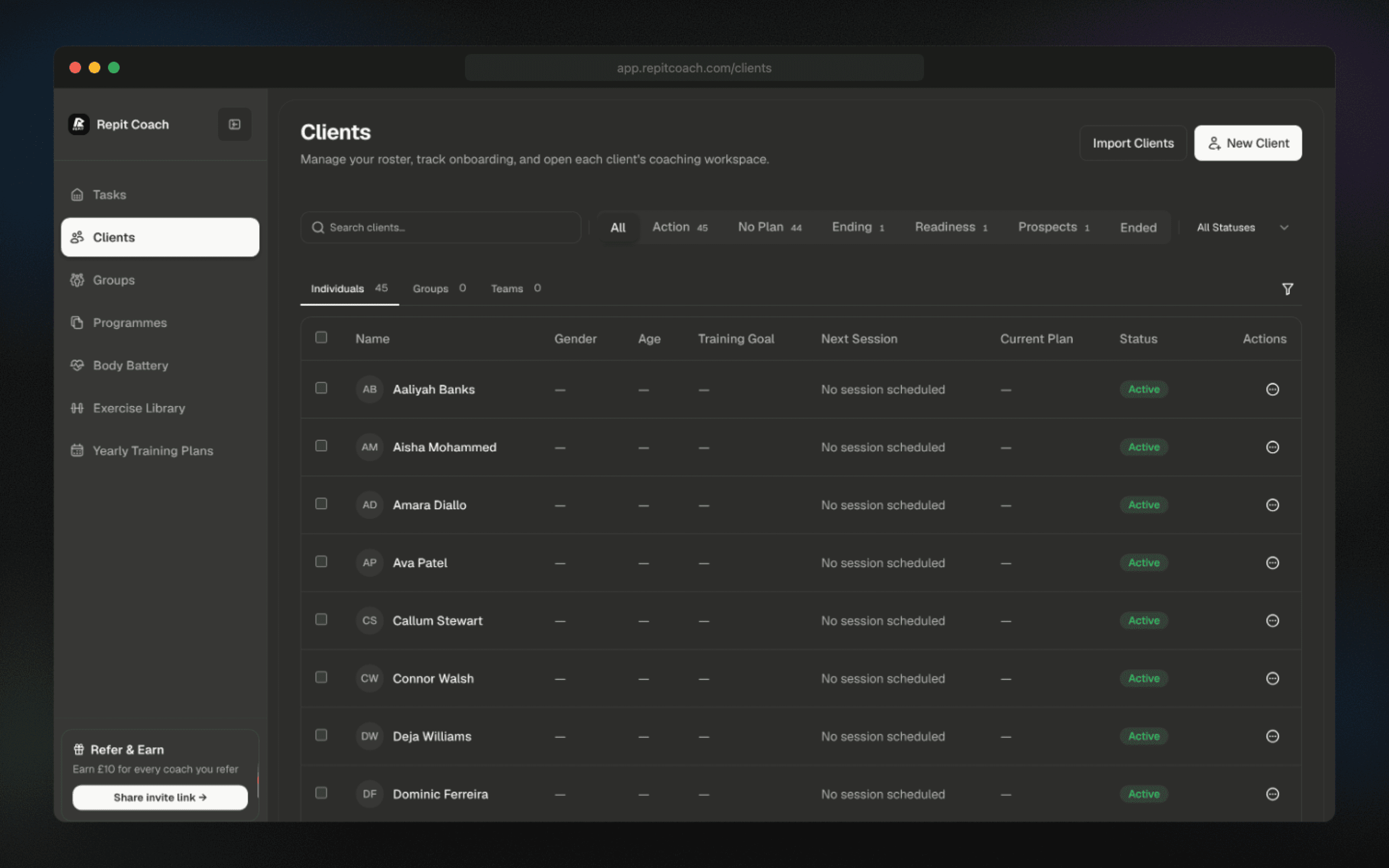
The Coach Dashboard is a single feed that shows every action you need to take across your roster: onboarding steps, plan gaps, missed sessions, low-readiness alerts, and today’s trainees. Instead of scanning a client list and checking each profile, you get one prioritised list of decisions, and clicking any item opens the exact screen where you can resolve it.
What kinds of tasks appear in the feed?
Client onboarding steps that haven’t been completed, missed workouts from the last 48 hours, Body Battery alerts for low readiness, clients training today, plan gaps where programming is about to run out, new signups awaiting approval, and any check-in messages that need a reply. You can filter the feed by category.
How is this different from notifications?
Notifications are interruptions — the dashboard is a persistent, prioritised queue. Resolving an item removes it from the feed in real time. Ignoring an item leaves it at the top until you act. The feed is the inbox, not a stream, so you know when you’re done for the day rather than scrolling through an infinite notifications list hoping you didn’t miss something important.
Can I automate recurring tasks?
Yes. Common cases — welcoming new signups, auto-reminding clients with overdue check-ins, responding to low-readiness scores with a pre-defined session swap — can be automated. You configure which categories auto-resolve and which require your manual decision, so the feed only ever shows you the calls that genuinely need a coach.
Does the dashboard replace client messaging?
It sits alongside messaging. The dashboard surfaces decisions and gives you one-click access to the client’s profile, session, or plan. Messaging still happens through your preferred channel (in-app, WhatsApp, email). For most coaches the dashboard removes 80% of the reason they were checking client messages in the first place.
How many clients can the dashboard handle?
The dashboard is designed for roster sizes from a handful to 150+ active clients. Filters, saved views, and priority sorting keep the feed usable at scale. Coaches moving from 20 to 50+ clients are the largest cohort using it daily, and the feed stays under 20 items for most of them because automation resolves the routine cases.

READY TO GROW?

Grow the roster without growing the admin.

Start with your first 4 active clients free, then scale into the systems that help you earn more from the same working week.

Free for 4 active clients · Cancel anytime