THE PLAN BUILDER · Feature deep dive · 3 min read
A practical feature review
Who it helps
Personal trainers and online coaches comparing a repeatable planning workflow.
How to evaluate it
Build a representative week, inspect the preview, and review edits before assigning the plan.
What the coach sees
You write one week, set how it should progress, and read the generated block before it reaches anyone.
What the client sees
Your client opens the session you assigned: the sets, reps and rest in the order you wrote them.
Before you use it
Check current plan terms and test the editing workflow with a non-live programme first.
01 · Why we built it
Programming should be a craft, not data entry.
You already know how a block should progress before you have written a single session: 2.5kg on the squat each week, back-offs at 80%, deload on week seven. Yet most software makes you paste Tuesday twelve times and call it programming.
We built the Plan Builder so the thinking is the work and the repetition is not. You make the decisions a coach makes; the builder writes them forward across the block. The hours that used to go into duplication go back into coaching, or into taking on more clients.
02 · Progression
Progressive overload without spreadsheet nights.
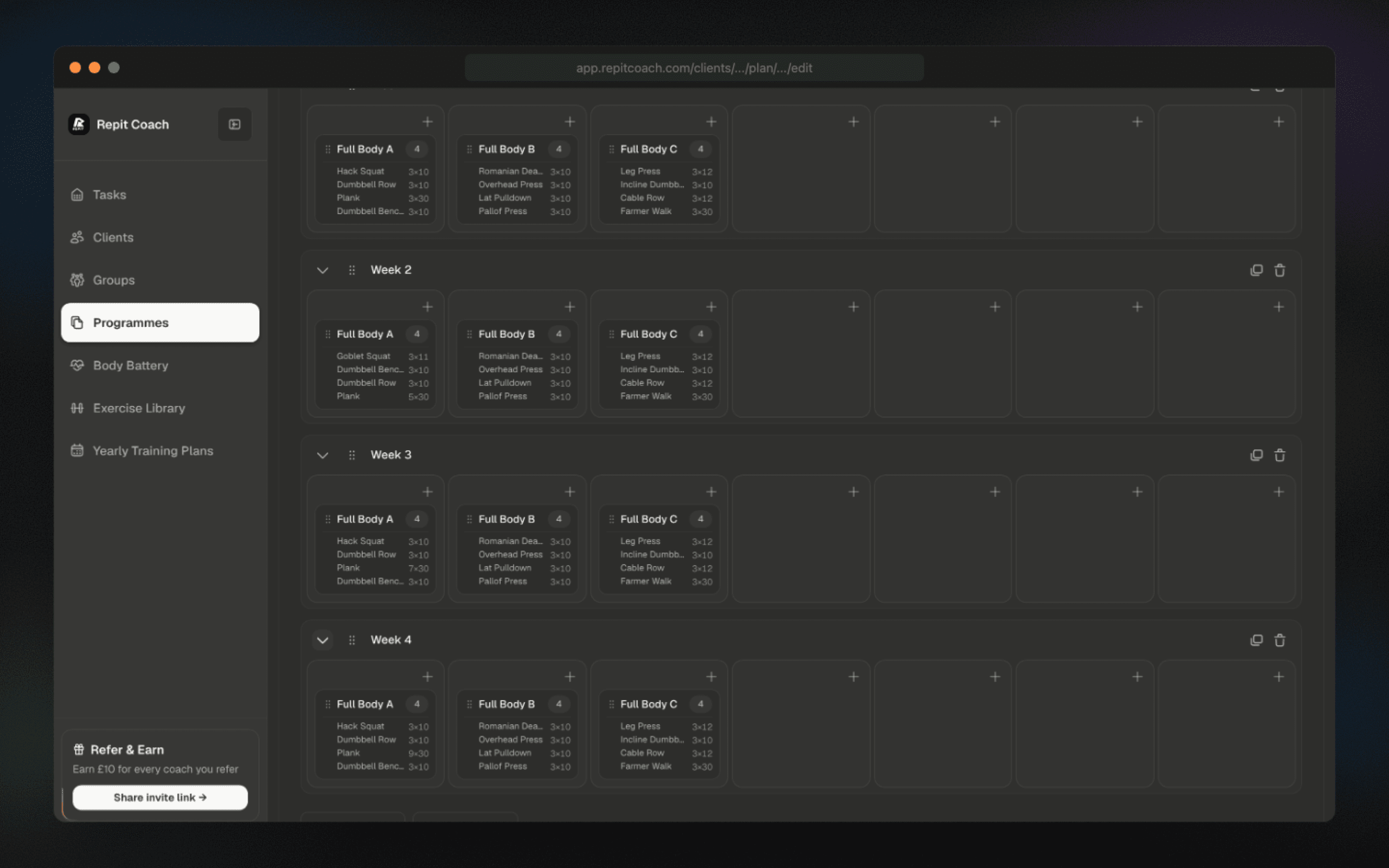
Applying progressive overload should not be the reason you stop taking clients. Review week duplication, multi-week blocks, and progression controls before applying them to a plan.
Build the first workout, set the progression rule, and review the generated block before assigning it.
03 · Templates
Build the plan once. Sell it many times.
Use built-in progressive overload templates to build full cycles without repetitive data entry. Define the shape of the programme, pick movements from the exercise library, and review the progression across your chosen duration.
Your best block stops being a one-off and becomes an asset. Apply it to any client on any date range, then adjust the sessions where that client needs something specific.
04 · Interface
Designed for coaches who value their time.
The interface is designed for speed and clarity: slick, high-contrast, intuitive. No cluttered menus or hidden tabs. A calendar-first view lets you drag, drop, and swap sessions without slowing down the sale or delivery.
We count clicks the way you count reps. Every workflow has been stripped back until the fastest path is the default path: no nested menus, no save button hiding three screens deep. The software should never be the reason programming feels like admin.